Track a machine with a second meter
Some maintenance manuals mix several units, for example hours and kilometres. KALEA can track a machine with a second meter, in addition to the first.
Step 1 : Open the machine editor
Tap the cog-shaped icon on the machine's card (see edit a machine).
Step 2 : Tick the second tracking
In the “Tracking mode & maintenance due dates” section, tick the “Add a second tracking (the manual mixes several units, e.g. hours AND km)” box.
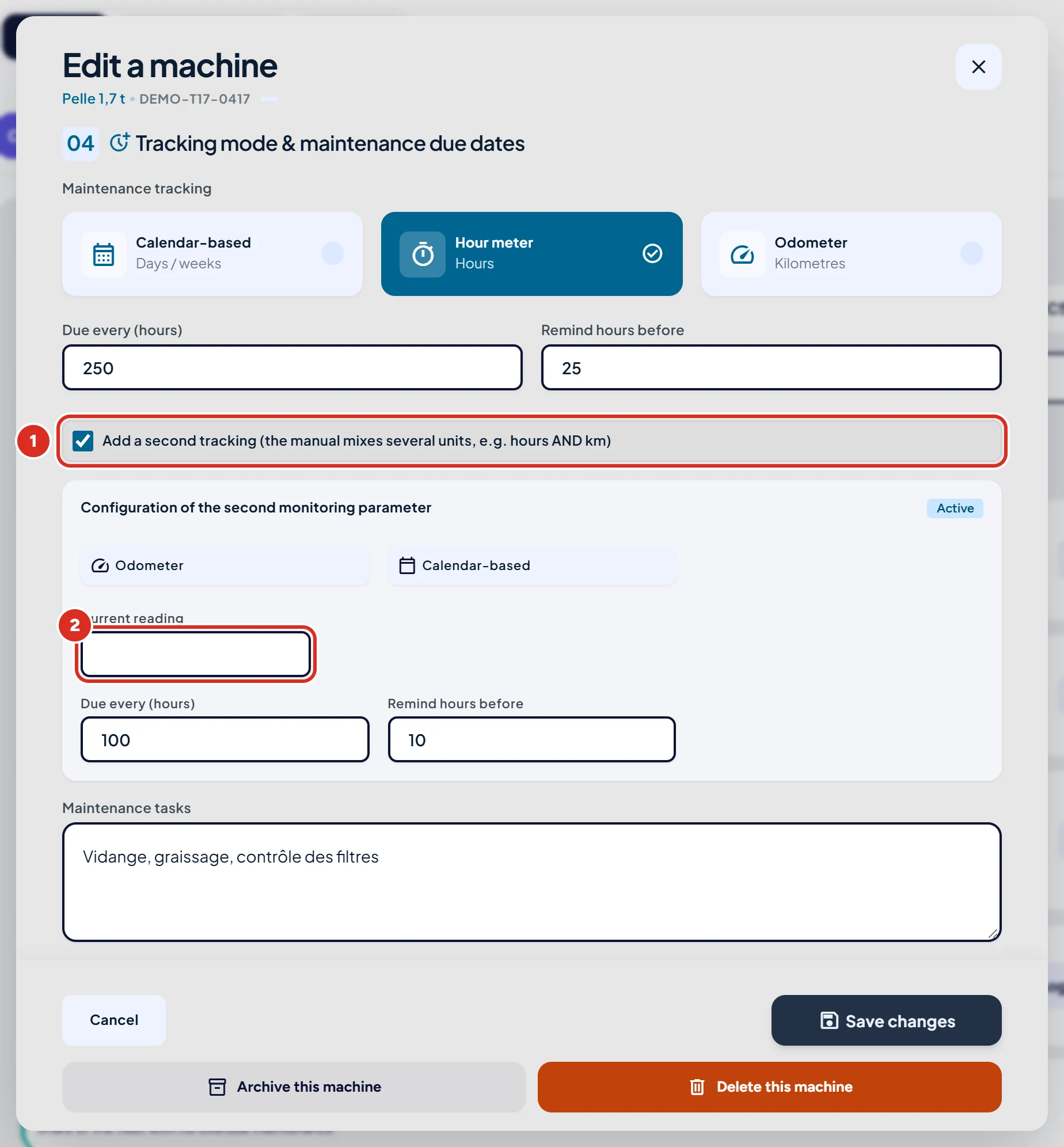
Step 3 : Fill in the second meter
Choose its unit (it must differ from the first tracking's unit), then enter the current reading, the due interval and the reminder.
Step 4 : Save
Click “Save changes”.
Good to know
- The second meter then appears on the machine's card: you set it by tapping it.
- When you log an intervention, a dedicated field also lets you enter the second meter.
A question?
Can't find the answer? In the app, open “Help & support” and write to us: the team replies in the same screen. You can also email support@kalea.pro.