Upload, replace or view a machine's maintenance manual
In KALEA, the maintenance manual is the manufacturer's document: a PDF, or photos of its maintenance table. It is used to build the machine's maintenance plan. It is not the history of past interventions.
Step 1 : Open the machine editor
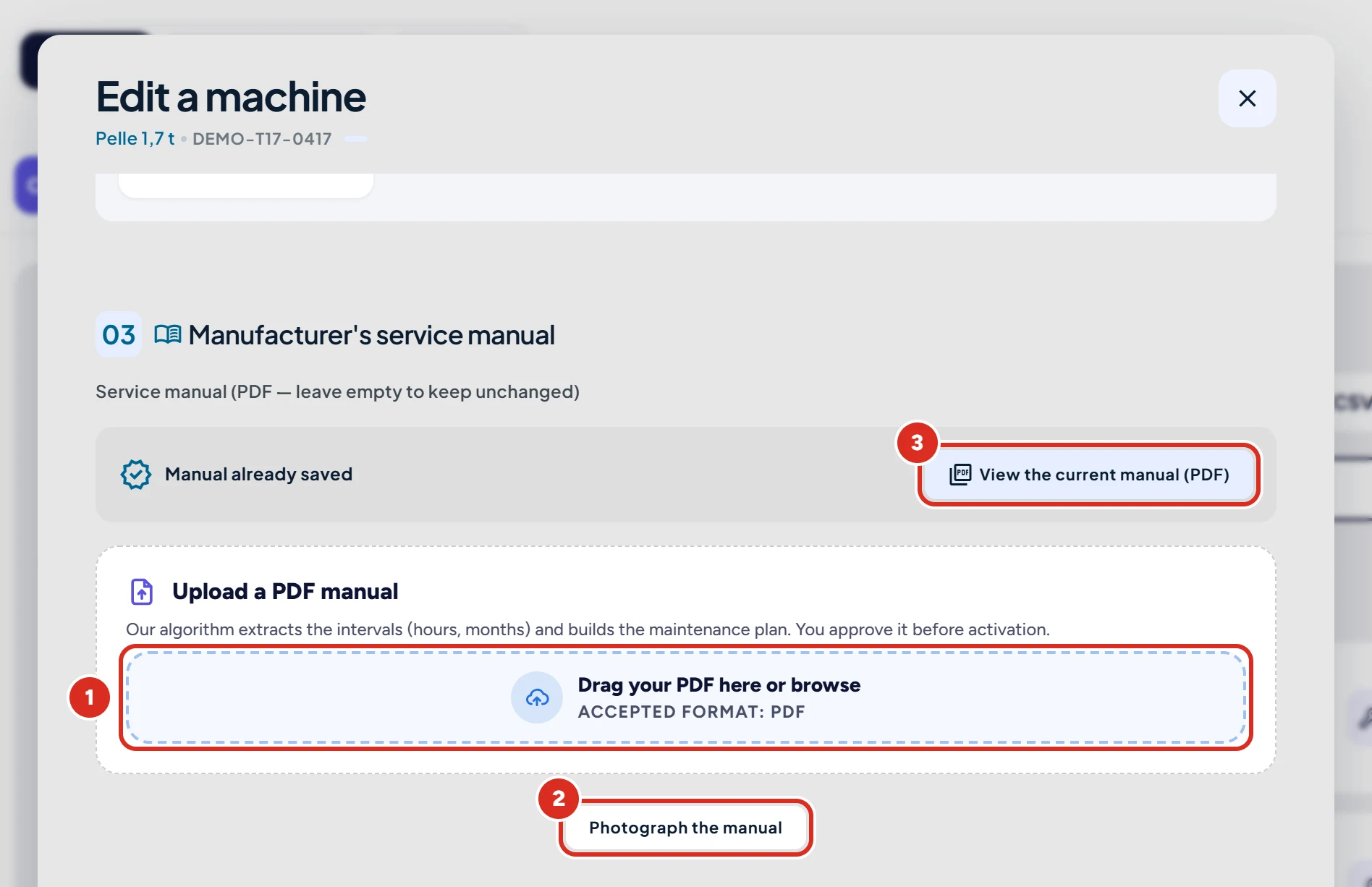
Tap the cog-shaped icon on the machine's card (see edit a machine), then scroll down to the “Manufacturer's service manual” section.
Step 2 : Upload the PDF or photograph the maintenance table
Drag the PDF into the “Drag your PDF here or browse” area, or tap “Photograph the manual” to photograph the pages of the maintenance table. To read the manual already saved, tap “View the current manual (PDF)”.
Step 3 : Choose the pages and confirm the plan
KALEA finds the pages of the maintenance table; you choose the ones to analyse (six at most). The analysis then suggests tasks and intervals: read them through, nothing is activated without your confirmation.
Step 4 : Save
Click “Save changes”. The new document replaces the old one.
Another route: from the maintenance plans screen
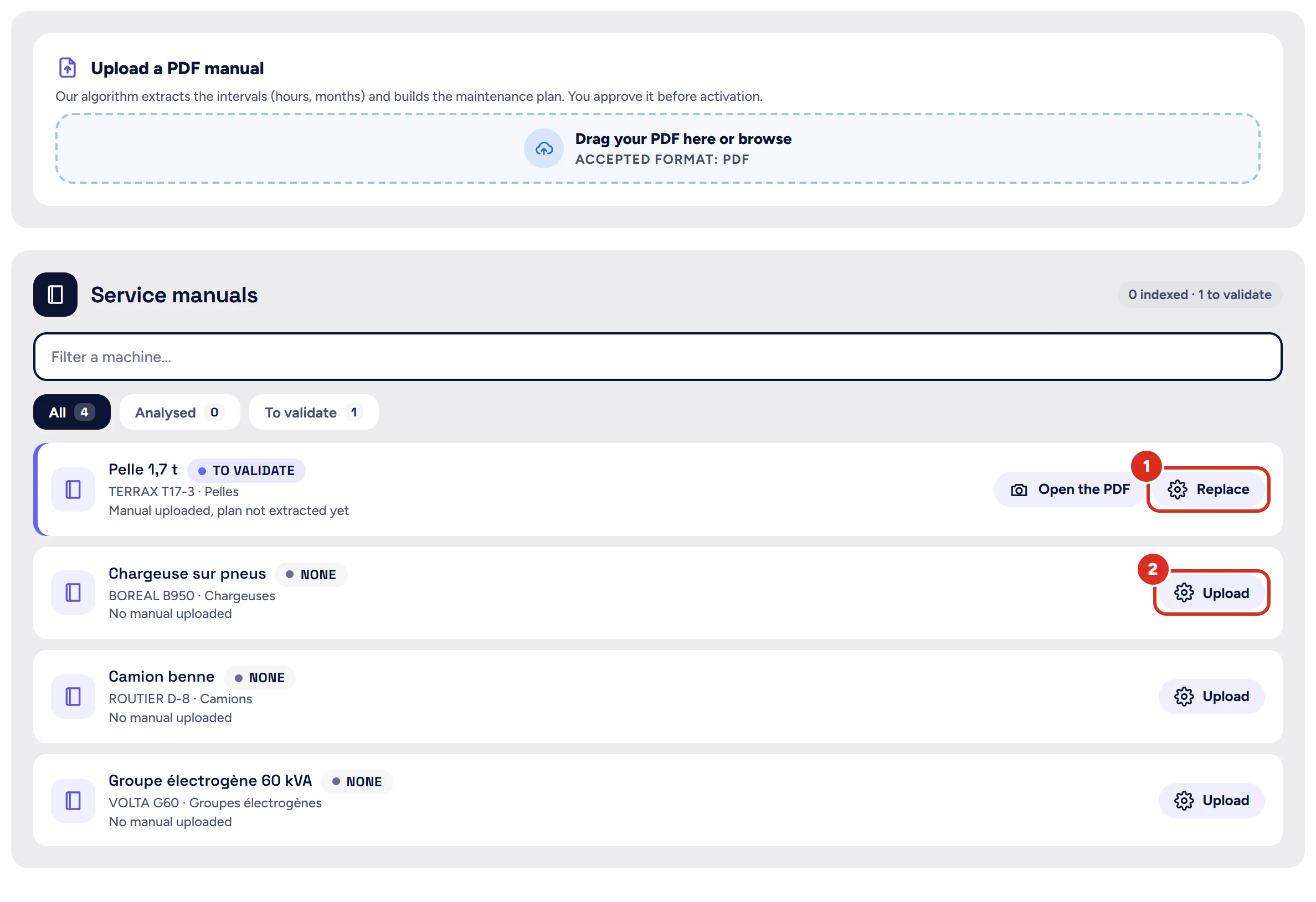
In “Machines”, open the “Maintenance plans” tab. On the machine's row, tap “Upload” (no manual yet) or “Replace” (a manual already exists). From this screen, only a PDF file is accepted.
Good to know
- There is no “update” button: to run the analysis again, upload the document again.
- Each analysis uses one manual analysis included in your plan; it is not counted if nothing could be read. The details are on the plans page.
- A PDF larger than 8 MB is analysed, but is not kept on the machine's record.
- No manual? The plan can be set up for you: the request is made from that same window.
A question?
Can't find the answer? In the app, open “Help & support” and write to us: the team replies in the same screen. You can also email support@kalea.pro.