Edit a machine and its serial number
A name to fix, a serial number left blank at creation, a plate that changes: everything can be edited at any time, from the machine's card.
Step 1 : Open the editor from the machine's card
In the menu, open “Machines”. On the machine's card, tap the cog-shaped icon: it is the “Edit the machine” button. You will also find it on the machine's page.

Step 2 : Change the details
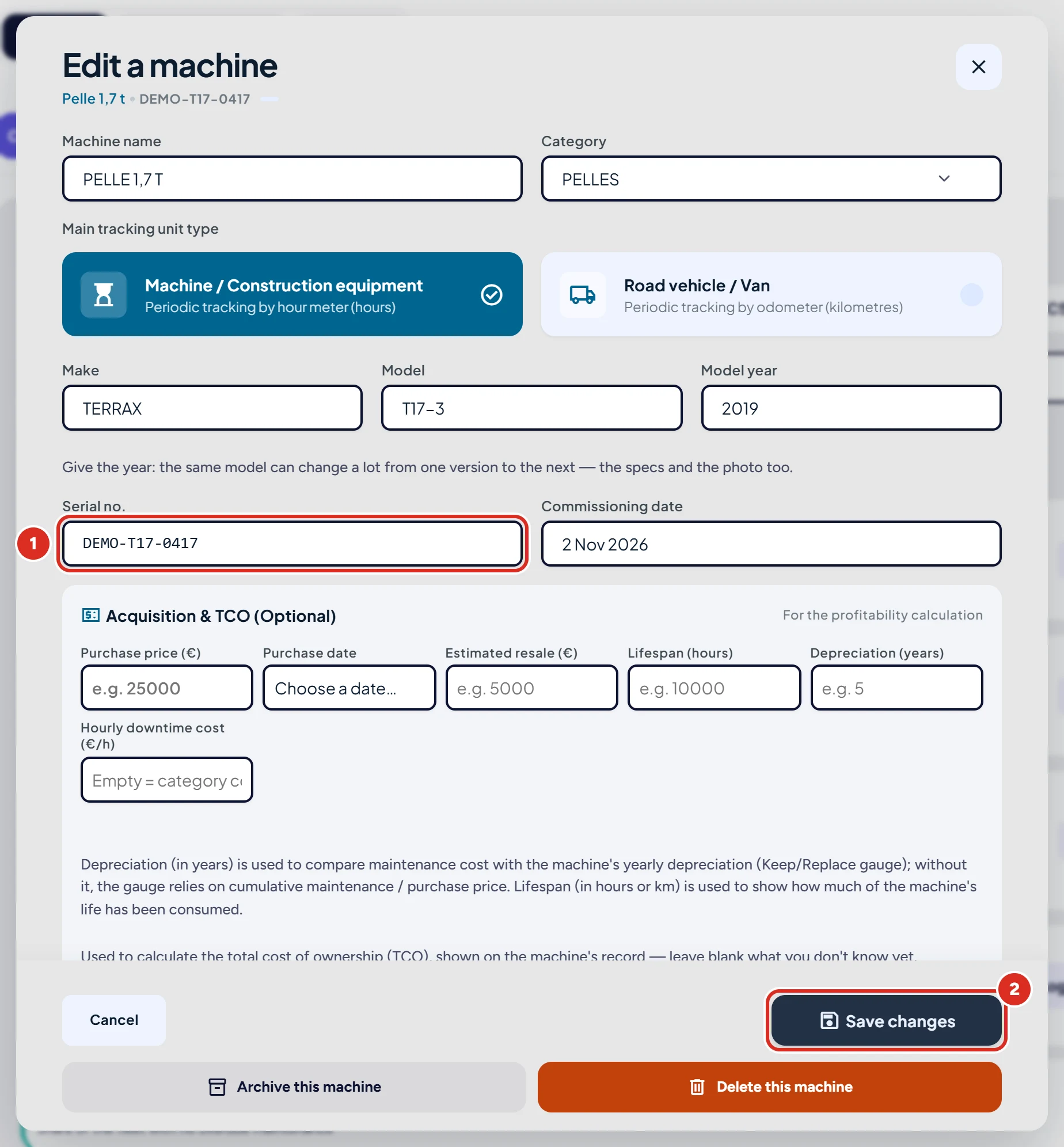
The “Edit a machine” window opens. Fix the name, make, model or year. The serial number is in the “Serial no.” field; for a vehicle, that field is called “Number plate”.
Step 3 : Save
Click “Save changes” to confirm: the new details replace the old ones.
Good to know
- The serial number can be edited at any time, not only at creation.
- The meter (hours or kilometres) is not corrected in this window: see correct a machine's meter.
- If your plan does not cover the machine, KALEA says so and offers to change plan: the record stays readable but cannot be edited.
- Depending on your access level, the edit icon may be missing from the card: it is not shown for the data-entry level or the purchasing level.
A question?
Can't find the answer? In the app, open “Help & support” and write to us: the team replies in the same screen. You can also email support@kalea.pro.